
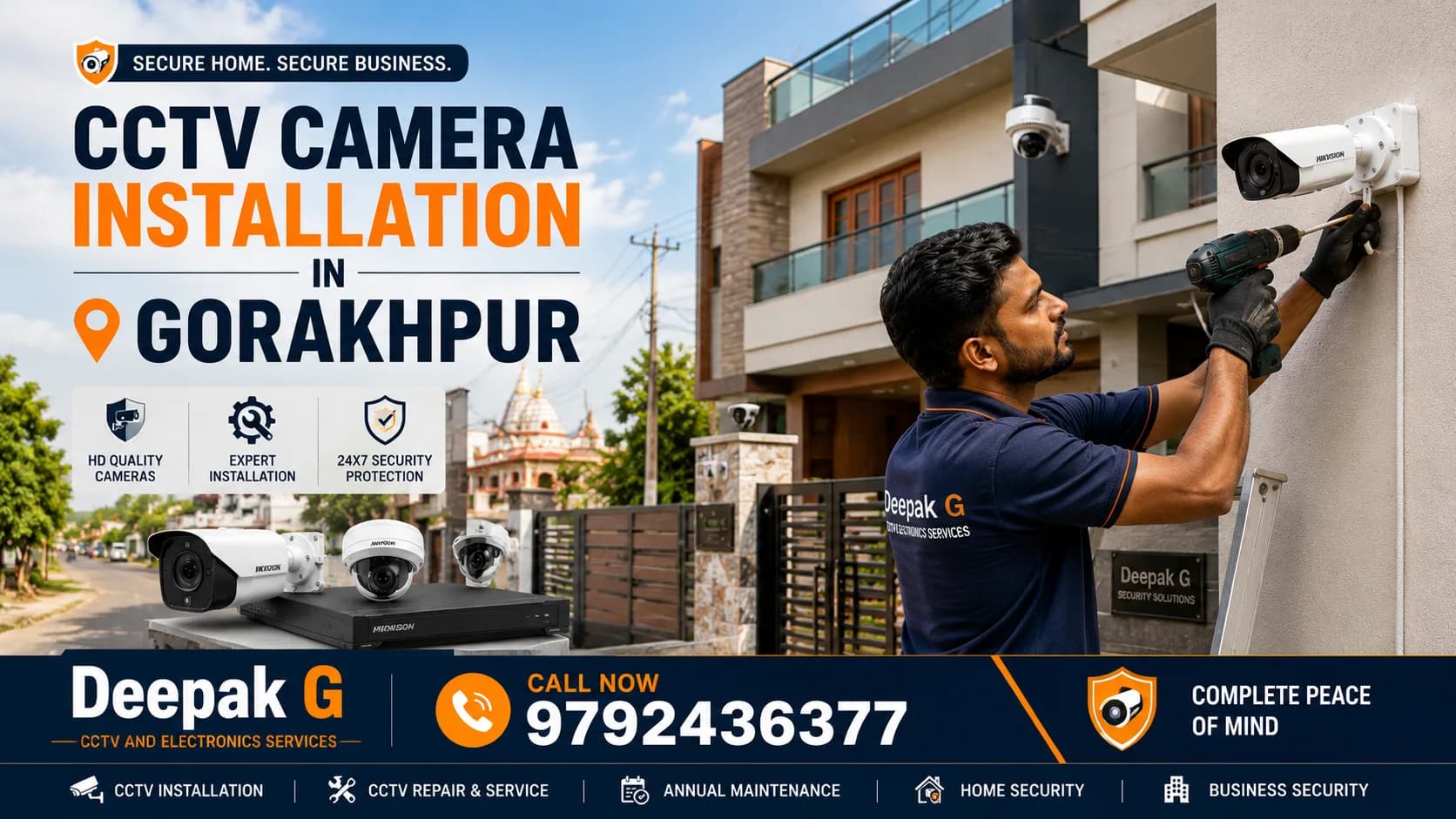
Gorakhpur is growing fast. New colonies keep coming up around Taramandal and Rapti Nagar, the markets of Golghar and Gorakhnath stay busy until late, and clinics, coaching centres and small offices keep opening along Medical College Road and Mohaddipur. With that growth, more families and shop owners are asking the same question: is it time to put up cameras?
Usually yes, but a camera alone does not make a property safe. Many people buy a kit online, fix the cameras wherever the wall allows, and discover weeks later that the night footage is black, the angle missed the gate, or the recorder stopped saving because the disk was full. The cameras were fine; the planning was not. Correct placement, protected cabling, a properly configured DVR or NVR and tested mobile viewing are what turn a few cameras into a system you can rely on.
This guide explains how CCTV camera installation in Gorakhpur works in practice: which cameras suit which property, what decides the cost, how the installation runs, and how to judge an installer. Deepak G CCTV & Electronics Services provides installation, upgrade and repair support across Gorakhpur, and the advice below is the same checklist we follow before every site visit.
Why CCTV Installation Is Important in Gorakhpur
Cameras do two jobs. They discourage trouble before it starts, and they give you a clear record when something does happen: a dispute at the counter, a parcel that never arrived, a scratch on a parked car, a stranger at the gate at 2 a.m. Across Gorakhpur the need usually looks like one of these:
- Homes: main gate, parking and staircase, especially when the family travels or elderly parents stay alone
- Shops and showrooms: billing disputes, shoplifting and staff monitoring during the evening rush in markets like Golghar and Gorakhnath
- Offices and coaching centres: visitor entry, reception, cash handling and after-hours access
- Clinics and diagnostic centres: reception, waiting area and medicine storage, with patient privacy respected
- Schools and hostels: gates, corridors, playgrounds and bus bays, which parents increasingly ask about
- Warehouses and godowns around GIDA: loading bays, stock rows and night-time monitoring
- Apartments and societies: gate, lift lobby, parking and common areas, with shared viewing for residents
- Commercial complexes: multiple entries, parking and corridors that one guard cannot watch at once
CCTV Camera Installation Services in Gorakhpur
DeepakG handles the full range of CCTV work, from a single camera at a flat door to multi-floor commercial systems. Here is what each service covers and what to think about before you call.
Home CCTV Installation
Most homes need 2 to 4 cameras covering the main gate, entrance, parking and a staircase or back side. Dome cameras suit the entrance hall; bullet cameras with night vision suit the gate and parking. Mount them 8 to 10 feet high, keep direct sunlight out of the lens, and place the recorder somewhere discreet rather than beside the front door. Professional home CCTV installation in Gorakhpur makes sure the camera actually covers the gate, not just the wall above it.
Shop & Retail CCTV Installation
Kirana stores, mobile shops, jewellery showrooms, garment and medical stores each need a different layout, but two spots are non-negotiable: the billing counter, with a camera that clearly shows the cash drawer and the customer's face, and the entry door. Larger shops add cameras for aisles, the stock room and the outside shutter. A 4MP or 5MP camera at the counter is worth it because notes and faces become readable, and a small UPS for the recorder keeps recording going during power cuts.
Office CCTV Installation
Reception, entry and exit, corridors, the record or server room and parking are the usual zones. Owners often want full mobile viewing for themselves and limited viewing for a manager, which is handled through separate user accounts on the recorder. IP cameras on CAT6 cabling work well in offices that already have a network. Decide how many days of recording you need before installation, because that fixes the hard disk size.
Commercial CCTV Installation
Hotels, guest houses, hospitals, banquet halls, petrol pumps, warehouses and commercial complexes need more cameras, longer cable runs and sometimes PTZ cameras for open areas like parking. Planning matters more than product here: a survey that marks every entry, blind corner and cable path, a recorder with spare channels for expansion, cabling that can be serviced later, larger storage and a protected power supply for the recorder. Commercial CCTV installation in Gorakhpur is usually done in phases so the business keeps running.
WiFi CCTV Camera Installation
WiFi cameras make sense where running a cable is impractical: rented homes, flats, a single camera at a front door, or a small shop with no ceiling space. They connect to your router and stream to your phone. Two limits to know before buying: they depend on WiFi signal strength at the camera's spot, and most record to a memory card or cloud rather than a central recorder. For one to three cameras they are convenient; for a whole property, wired is usually more dependable.
IP Camera Installation
IP cameras send a digital signal over CAT6 cable to an NVR and can draw power through the same cable using PoE, so one cable does both jobs. They offer higher resolution (4MP, 5MP, 8MP), sharper detail and easier expansion. IP camera installation in Gorakhpur suits offices, schools, hospitals, apartments and any new building where cabling can be planned from the start. The work includes network planning, a PoE switch or PoE-enabled NVR, and IP configuration so the cameras stay reachable.
DVR/NVR Setup
The recorder is the heart of the system. A DVR works with HD analog cameras on coaxial cable; an NVR works with IP cameras. Setup covers hard disk installation and formatting, recording schedule (continuous, motion-based or a mix), channel naming, date and time sync, a strong password in place of the factory default, and internet connection for remote viewing. Always use a surveillance-grade hard disk; a desktop disk wears out quickly under 24×7 writing.
Existing CCTV System Upgrade
Old 1MP or 720p systems can often be upgraded without rewiring. Many HD analog cameras run on the existing coaxial cable, so you can move to 2MP or 5MP cameras and a new DVR while keeping the wiring inside the walls. Common reasons to upgrade: blurry footage, no night vision, a full or failed hard disk, no mobile viewing, or an old app that no longer works. An upgrade check tests the cable first, then lists what to keep and what to replace.
CCTV Camera Replacement & Troubleshooting
Problems we see regularly: a camera showing 'no video' after rain (water in the connector), night footage turning white (infrared bouncing off a nearby wall), a beeping DVR (hard disk error), an app that stopped connecting (router changed), and cameras dropping out during voltage fluctuation. Most are fixed in one visit. DeepakG provides CCTV camera repair in Gorakhpur for systems installed by anyone, including camera replacement, cable repair and recorder reconfiguration.
Which CCTV Camera Is Best for Your Property?
There is no single best camera. The right choice depends on where it will be mounted, how far it needs to see, and whether it will face rain, dust or darkness.
| Camera Type | Commonly Used For | Keep in Mind |
|---|---|---|
| Dome camera | Indoor areas: entrance hall, shop floor, office reception, corridors | Discreet and hard to tamper with; limited range for large outdoor areas |
| Bullet camera | Main gate, parking, boundary wall, outside the shop shutter | Long range and strong night vision; its visibility also works as a deterrent |
| IP camera | Offices, schools, apartments, new buildings that need high detail | Needs CAT6 cabling and an NVR; higher resolution and easier to expand |
| WiFi camera | Rented homes, a single door, small shops without cabling | Depends on WiFi strength; usually records to SD card or cloud |
| PTZ camera | Large parking, warehouses, hotel compounds, open grounds | Pans, tilts and zooms remotely; costs more and needs an operator or preset patrol |
| Night-vision camera (IR or colour) | Gates, back lanes, godowns, any area that is dark after sunset | IR gives black-and-white night footage; colour night vision needs some ambient light |
For most homes and shops, 2MP to 5MP bullet cameras outside and dome cameras inside, all with night vision, cover the need. The exact mix is decided on site.
CCTV Camera Installation Cost in Gorakhpur
There is no single rate card for CCTV camera installation cost in Gorakhpur, because two 4-camera systems that look alike on paper can differ a lot in price. Resolution, brand, cable length and storage all change the total. These are the factors that move the cost up or down:
- Number of cameras – the biggest factor, since each camera also adds cable, a power connection and labour
- Camera resolution – 2MP is the usual baseline; 4MP, 5MP and 8MP cost more but capture far more detail
- Camera type – dome and bullet are economical; IP, PTZ and colour night-vision cameras cost more
- DVR/NVR – channel count (4, 8 or 16), brand, and support for higher-resolution cameras
- Storage – 1TB, 2TB or 4TB hard disk, depending on how many days of footage you want to keep
- Cable length – long runs to a gate or boundary wall add cable, conduit and installation time
- Installation complexity – concrete drilling, false ceilings, multi-floor routing and high mounting
- Night vision – standard IR is built into most cameras; long-range or colour night vision adds cost
- Indoor vs outdoor – outdoor cameras need weatherproof housings and junction boxes
- Remote monitoring – usually part of the setup, but a stable internet line or a 4G router may be needed
To make this easier to picture, here is what typical configurations usually include:
| Setup | Typical Property | What It Usually Includes |
|---|---|---|
| 2-camera setup | Flat, single gate with parking, small kiosk or counter | 2 cameras, 4-channel recorder, 500GB to 1TB hard disk, basic cabling, mobile app setup |
| 4-camera setup | Independent house, medium shop, small clinic or office | 4 cameras, 4 or 8-channel recorder, 1TB hard disk, cabling, mobile viewing |
| 8-camera setup | Large house, showroom, office, coaching centre | 8 cameras, 8 or 16-channel recorder, 2TB hard disk, structured cabling, multi-user viewing |
| 16-camera setup | School, hospital, warehouse, apartment, commercial complex | 16 cameras, 16-channel recorder, 4TB or more, PoE or long-run cabling, UPS, phased installation |
Rather than quote a figure that may not match your property, DeepakG prepares a written quotation after a site visit or a phone discussion of your layout. It lists cameras, recorder, hard disk, cable and labour separately, so you can see exactly what you are paying for and adjust the plan to your budget.
How Much CCTV Coverage Do You Need?
Count entry points first, then blind spots, then the areas with the most value. Rough starting points:
| Property | Starting Camera Count | Priority Areas |
|---|---|---|
| Small home or 2BHK flat | 2–3 | Main door, gate or parking, balcony or back side |
| Large home or duplex | 4–8 | Gate, entrance, parking, staircase, terrace access, back lane |
| Small shop | 2–4 | Entry, billing counter, main display area |
| Medium shop or showroom | 4–8 | Entry, counter, aisles, stock room, outside shutter |
| Office | 4–8 | Reception, entry and exit, corridor, record or server room, parking |
| Warehouse or godown | 8–16+ | Every gate, loading bay, stock rows, perimeter, office cabin |
These are starting points, not rules. A corner plot with two gates needs more than a flat with one door. During a site assessment the installer walks the property and marks every point where a person could enter or stay out of view; that list, not the size of the building, decides the final count.
CCTV Installation Process in Gorakhpur
A proper installation follows a fixed sequence. Skipping steps is what causes blind spots and 'the camera is not recording' calls later.
- Requirement discussion – property type, what you want to watch, budget range, and whether you need mobile viewing
- Site assessment – a walk-through to note entry points, lighting, wall material and distance to the recorder location
- Camera placement planning – each camera's position, height and direction, checked for blind spots and light glare
- Camera and equipment selection – resolution, camera type, recorder channels, hard disk size, cable type and power supply
- Cabling – routed through conduit or casing, kept away from electrical lines, with no mid-run joints and both ends labelled
- Camera installation – secure brackets, weatherproof junction boxes outdoors, and final angle adjustment on a live screen
- DVR/NVR configuration – hard disk format, recording schedule, time sync, channel names and a strong password
- Mobile/remote viewing setup – recorder linked to the app on your phone, with family or staff added as separate users
- Testing – every camera checked in daylight and after dark, recording and playback confirmed, power-cut recovery tested
- Customer handover – a walkthrough of live view, playback, exporting a clip, and what to do if something stops working
Why Professional CCTV Installation Matters
Good cameras mounted badly are the most common way money is wasted on CCTV. Professional installation takes care of the things a boxed kit never mentions:
- Correct angles – a camera pointed at the sky or a blank wall records nothing useful
- No blind spots – corners, the space under a staircase and the area directly below a camera are easy to miss
- Cable management – protected, neatly routed cable lasts for years; loose cable fails in the first monsoon
- Secure mounting – cameras on proper brackets cannot be tilted away by hand
- DVR/NVR configuration – wrong settings can mean footage overwritten in three days instead of thirty
- Storage planning – matched to resolution and the number of days you want to keep
- Night visibility – infrared range and reflections tested after dark, not assumed
- Remote viewing – set up and working on your phone before the technician leaves
- System testing – every channel checked for live view, recording and playback
This is the checklist DeepakG works through on every job, whether it is a 2-camera flat or a 16-camera complex.
CCTV Camera for Home in Gorakhpur
Home CCTV is about watching who comes and goes, not watching the family. The positions that matter most:
- Main gate – the most important camera; mount it to capture faces at entry height, not just the tops of heads
- Entrance door – covers deliveries, visitors and the doorbell area
- Parking – two-wheelers and cars are easy targets; a bullet camera with night vision works well here
- Staircase – especially in multi-floor homes with tenants or separate entrances
- Backyard or back lane – usually the weakest and darkest point of the property
- Terrace access – if the terrace connects to neighbouring roofs
- Indoor areas – the entrance hall or living room entry only, where useful for elderly care or domestic help
Never place cameras in bedrooms, bathrooms or changing areas, and avoid pointing outdoor cameras into a neighbour's window or courtyard. Keep the recorder in a locked or discreet spot and change the default password; an open recorder is a privacy risk in itself.
CCTV Camera for Shops and Businesses in Gorakhpur
For a shop, CCTV is as much about settling disputes as preventing theft. 'I gave you a 500 note' arguments end quickly when the footage is clear. Priority areas:
- Entrance – a camera facing inward captures every person who walks in
- Cash counter – positioned to show the drawer, the payment and the customer's face; higher resolution here pays for itself
- Customer area – wide-angle dome cameras over aisles and display racks
- Storage and stock room – where internal losses are easiest to miss
- Parking or loading area – delivery disputes and vehicle damage
- Blind spots – behind tall racks, beside the shutter, under the counter
Record continuously during business hours and switch to motion-based recording after closing to save space. Let staff know that cameras are installed; it is fair practice, and most of the benefit comes from prevention rather than catching someone afterwards.
CCTV Camera With Mobile Monitoring
Nearly every DVR and NVR sold today supports mobile viewing through a free app from the manufacturer. Once the recorder is connected to the internet, you can:
- Watch live footage from any camera on your phone, wherever you are
- Receive motion or human-detection alerts where the camera supports them
- Play back recordings by date and time
- Download and share a clip when needed
- Give limited access to family members, a manager or a security guard
You need a working broadband or 4G connection at the property and a smartphone. If the internet drops, the cameras keep recording locally; only the remote view pauses. DeepakG sets up and tests the app during handover, so you are not left working out QR codes on your own.
How to Choose a CCTV Installation Service in Gorakhpur
Before you book anyone, DeepakG included, run through this checklist:
- Installation experience with properties like yours, not just product selling
- Genuine products from known brands such as CP Plus, Hikvision or Dahua, with proper bills and serial numbers
- Clear warranty on cameras and recorder, and clarity on who handles claims
- Installation quality: conduit, junction boxes, proper brackets and labelled cables
- After-sales support: will someone actually come when a camera stops working?
- DVR/NVR configuration included, with the password set and explained to you
- Mobile monitoring set up and tested before the technician leaves
- A maintenance or AMC option for regular check-ups
- A transparent, itemised quotation with no surprise charges
- Local availability in Gorakhpur for quick service visits
If an installer cannot explain where each camera will point and why, keep looking. Deepak G CCTV & Electronics Services works on exactly these terms: an itemised quote, planned placement, a tested handover and local support afterwards.
Why Choose DeepakG for CCTV Installation in Gorakhpur?
Plenty of shops will sell you a camera. What matters is what happens between buying it and seeing clear footage on your phone. That is where DeepakG focuses:
- Local service – serving Gorakhpur directly, so site visits and repair calls do not depend on an outstation technician
- Planned installation – camera positions decided on site, not guessed from a catalogue
- Home and business solutions – from a 2-camera flat to multi-floor offices, shops, clinics and warehouses
- New installation and upgrades – keep what works, replace only what does not
- Mobile viewing set up for you – app configured and tested on your phone before we leave
- Troubleshooting and maintenance – for systems installed by us or by anyone else
- Plain-language support – you understand your own system instead of depending on someone for every small thing
The aim is simple: when something happens, your footage should be clear, saved and easy to find.
Areas We Serve in Gorakhpur
DeepakG provides CCTV installation, upgrade and repair across Gorakhpur city, including Golghar, Mohaddipur, Betiahata, Taramandal, Rapti Nagar, Shahpur, Asuran, Gorakhnath, Padleganj and the Medical College Road area, along with surrounding localities. Availability and visit timing can depend on your exact location and the size of the job, so if you are searching for 'CCTV installation near me' or 'CCTV camera near me' from anywhere in Gorakhpur district, share your location on a call or WhatsApp and we will confirm.
Frequently Asked Questions
How much does CCTV installation cost in Gorakhpur?
There is no fixed rate, because the cost depends on camera count, resolution, camera type, recorder, hard disk size, cable length and how difficult the installation is. A basic 2-camera flat setup and an 8-camera showroom with 5MP cameras are very different jobs. The reliable way to know is to share your property details or book a site visit; DeepakG provides an itemised written quotation so you can compare and adjust before work starts.
Which CCTV camera is best for home?
For most homes a combination works best: bullet cameras with night vision for the gate and parking, and a dome camera for the entrance or hall. 2MP is adequate for general monitoring; choose 4MP or 5MP for the gate if you want clearly readable faces and number plates. If cabling is not possible, a WiFi camera at the main door is a practical alternative. Placement matters more than the camera type.
How many cameras are needed for a 2BHK or an independent house?
A 2BHK flat usually needs 2 to 3 cameras: the main door, the balcony or back side, and the parking slot if the society cameras do not cover it. An independent house commonly needs 4 to 6: main gate, entrance, parking, staircase and back lane. Count entry points first, since every door or gate an outsider can use should be covered, then add cameras for valuable or dark areas.
Can CCTV cameras be viewed on a mobile phone?
Yes. Modern DVRs and NVRs connect to the internet and work with a free manufacturer app on Android and iPhone. You can watch live video, play back recordings, receive alerts where supported and download clips. A working internet connection at the property is required. DeepakG configures the app during installation and shows you how to use it, including adding family members or staff as separate users.
How long does CCTV installation take?
A 2 to 4 camera home or shop setup is usually completed within a few hours to one working day, including cabling, recorder setup and mobile app testing. Larger installations of 8 to 16 cameras across several floors, or sites that need long conduit runs, can take two to three days. Concrete drilling, false ceilings and long outdoor runs add time. The schedule is confirmed after the site assessment.
Is WiFi CCTV better than wired CCTV?
Neither wins in every case. WiFi cameras install quickly and suit rented homes, a single door or spots where cabling is impossible, but they depend on WiFi strength and usually record to an SD card or cloud. Wired systems, whether HD analog or IP, are more stable for 24×7 recording, support more cameras and store everything centrally on a DVR or NVR. For a full property, wired is generally recommended; WiFi works well as a supplement.
Can old CCTV cameras be replaced without changing everything?
Often, yes. Many HD analog cameras run on the same coaxial cable as older systems, so you can upgrade the cameras and the DVR while keeping the wiring. If the cable is damaged, or you are moving to IP cameras, new cabling is needed. An upgrade check looks at cable condition, recorder compatibility and the health of the existing hard disk before recommending what to keep.
Do you provide CCTV installation for shops and offices?
Yes. Deepak G CCTV & Electronics Services installs CCTV for shops, showrooms, offices, coaching centres, clinics, schools, warehouses and apartments across Gorakhpur. Commercial work includes camera planning for entry points, counters and stock areas, DVR/NVR setup with separate viewing rights for owners and managers, mobile monitoring, and optional maintenance support. Larger projects are scheduled in phases so the business is not disrupted.
How much storage is required for CCTV recordings?
It depends on camera count, resolution and recording mode. As a rough guide, with modern H.265 compression, four 2MP cameras recording continuously fill 1TB in roughly two to four weeks; eight cameras or higher resolution need 2TB or more. Motion-based recording stretches this considerably. Use a surveillance-grade hard disk, since desktop drives fail quickly under constant writing. Tell your installer how many days of footage you want and the disk size follows from that.
Do CCTV cameras keep working during a power cut?
Cameras and the recorder need power, so without backup they stop during a cut and restart automatically when supply returns. If continuous recording matters, as it does for shops, godowns and homes that are often empty, a small UPS or an inverter connection for the recorder and camera power supply keeps the system running for a few hours. A power cut usually also switches off your router, so mobile viewing pauses even while recording continues.
How can I get a CCTV installation quotation in Gorakhpur?
Call or WhatsApp DeepakG with your property type, approximate size, number of entry points and whether you want mobile viewing. For small setups a quotation can often be prepared over the phone; for shops, offices and larger homes a site visit gives a more accurate plan. You receive an itemised quotation listing cameras, recorder, hard disk, cabling and installation separately, so you know exactly what you are paying for.
Planning a CCTV Installation in Gorakhpur? Let's Talk
Whether you are installing cameras for the first time, opening a new shop, replacing a system that no longer records properly, or simply want to see your home on your phone while you are away, the first step is a short conversation about your property. Contact Deepak G CCTV & Electronics Services to discuss your layout, camera requirements and installation needs, and get a clear, itemised quotation.
- Phone: 9792436377
- WhatsApp: 9792436377
- CCTV installation service page: https://www.deepakg.in/cctv-installation-gorakhpur
Send a few photos of your gate, entrance or counter on WhatsApp and we can suggest a starting plan even before the site visit.